By clicking “Accept All Cookies”, you agree to the storing of cookies on your device to enhance site navigation, analyze site usage, and assist in our marketing efforts. View our Privacy Policy for more information.

How to submit the Audit

When a buyer sends you an audit, the submission process depends on whether you already have an Orixe account or not. Follow the relevant steps below.

1. If You Are New to Orixe (Not Registered Yet)

If this is your first time using Orixe, you’ll need to register before you can complete the audit.

  • Open the email you received from the buyer.
  • Click the link in the invitation snippet within the email.
  • Create your company account on the Orixe platform and complete the registration process.
  • After registration, the connection with the buyer is created automatically.
  • You may receive a notification saying:“[Buyer’s Company Name] has sent you an audit to fill out.”
  • Click on the notification. You will be redirected to the audit page.
  • Complete the audit form and submit it.

2. If You Are Already an Orixe User

If you already have an Orixe account, you can access the audit directly from the platform.

  • When a buyer sends you an audit, you will receive a notification.
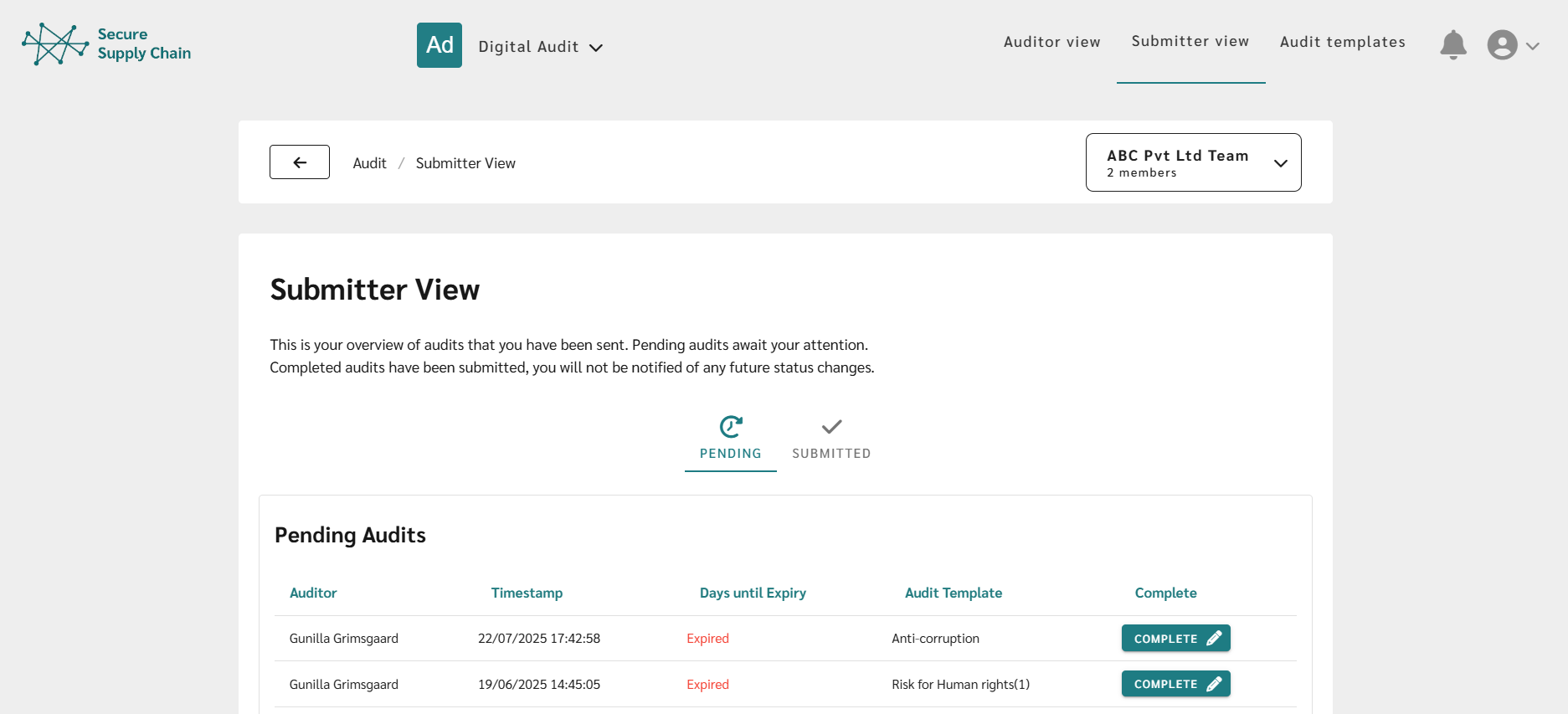
  • Click the notification to be directed to the audit page or go directly to the Submitter View.
  • In the Pending tab in Submitter View, You will see the audits you’ve received, with the most recent ones listed at the top.
  • Click Complete on the relevant audit.
  • Fill out the audit form and click Submit Audit when finished.

Saving Progress

⚠️ Important: Once the audit is submitted, you will not be able to change your answers.

3. Audit Status After Completion

Once the process is completed, the audit will move from the 'Pending tab' to the 'Submitted' tab in the Submitter View.

Orixe logo

📞
orixe@orixe.no
+46 760072566, WhatsApp
Nääs Fabriker, Gothenburg